






Training and SOP quizzes for food manufacturers
Build a quiz or a read-and-acknowledge from any SOP in Document Control. Operators take it from their home screen. You see who is trained, who is overdue and who failed.
Food companies using Allera


“We needed to standardize quality across multiple sites, and Allera made that possible.”
Alba Hinojosa, Director of FSQA, Redwood Logistics

“With Allera, I have much greater confidence in the accuracy and completeness of our FSQA documentation going into an audit.”
Tom Overpack, FSQA Manager, Hof Haus


“The platform is user-friendly, customizable, and integrates seamlessly without extra tools.”
Caitlin Edsall, Director of Food Safety, Eden Green


“Allera really enabled us to get SQF certified. Without that, I don’t think we ever would have.”
Manager of QA, Spunky Pup

“Allera is really effective for managing suppliers and sending out notifications.”
Joy Webb, QA Manager, Volpi Foods
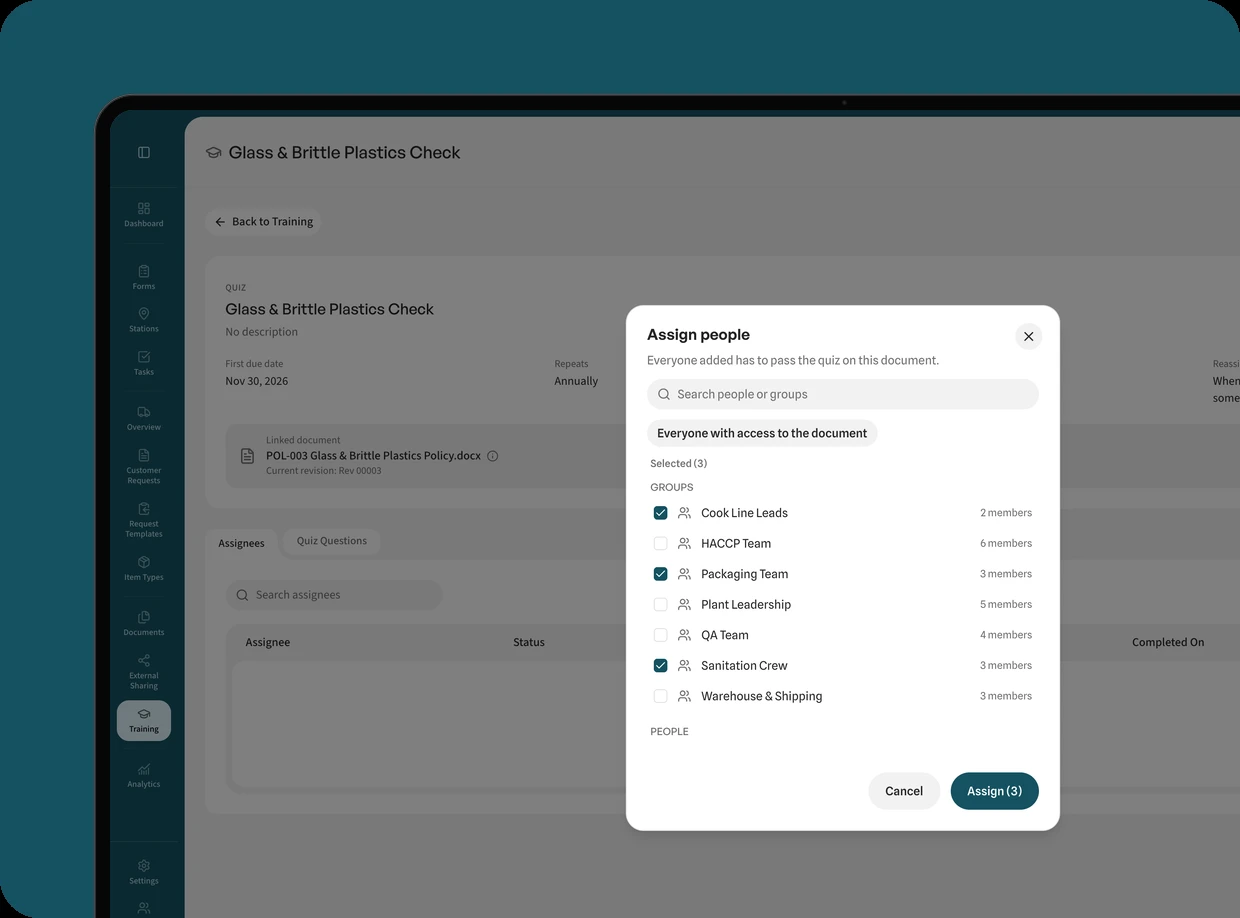
Turn any SOP into a quiz with AI.
Generate from document drafts the questions from the SOP’s text. Edit, add or remove questions before you activate it.
Multiple choice, true/false or typed answers
Questions can have one correct answer, several correct answers, or true or false. A typed answer lets people write their own, but it doesn’t count toward the score.
Set a pass mark for each quiz
The pass mark starts at 80% and you can change it for any quiz. Earlier attempts keep the mark they were graded at.
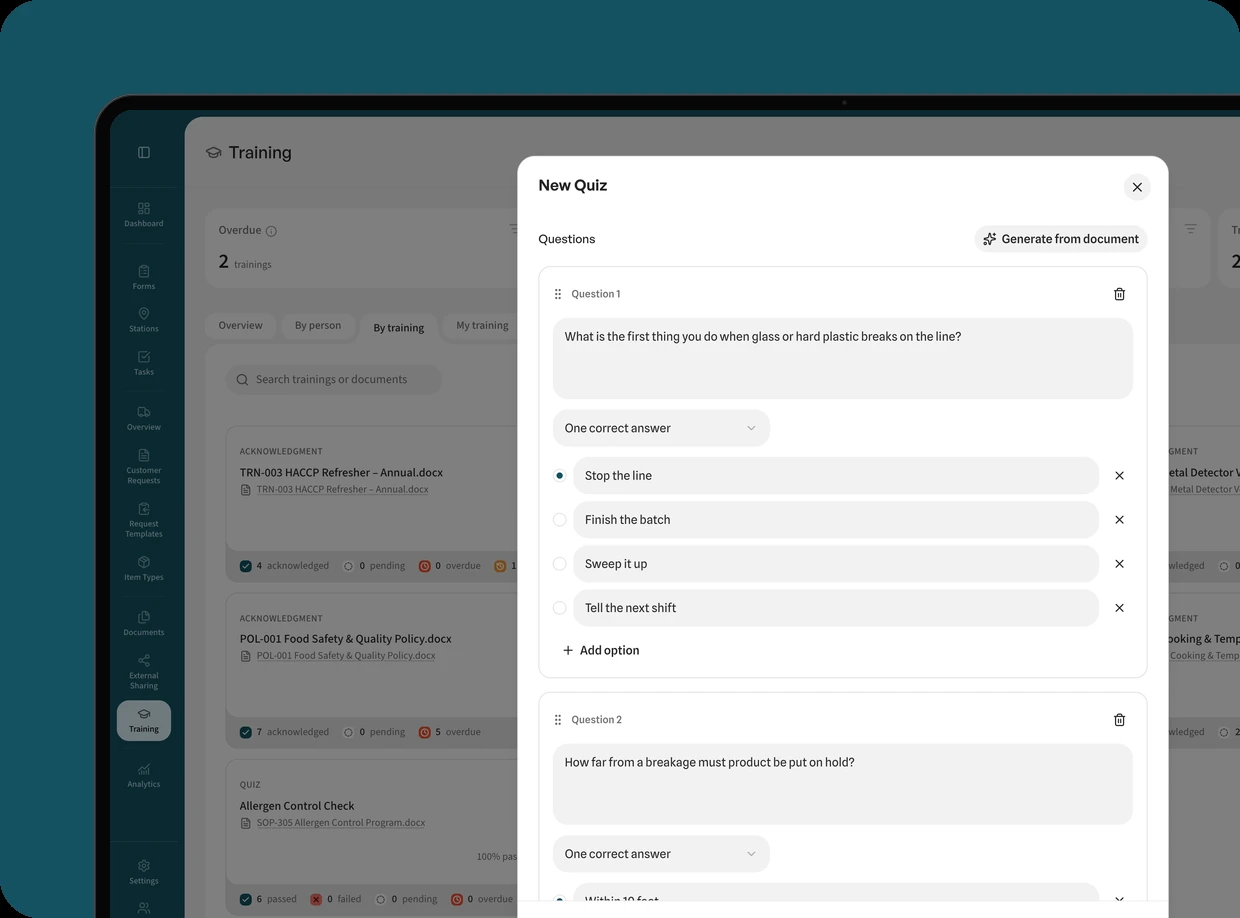
Assign it to the teams that need it.
Pick named people or whole groups, and set the first due date.
Assign to a whole team at once
Pick a group like Sanitation Crew and everyone in it is assigned. Progress counts each member, and each new trainee gets a notification.
Repeat monthly, quarterly, every 6 months or yearly
Set a first due date, and later deadlines fall on that date each period. You can also pick specific dates instead.
Retrain automatically when the SOP changes or someone fails
When a new version of the SOP is published, everyone trained on the old one is due again. Training set on a folder covers every document inside it.
Operators take it from their home screen.
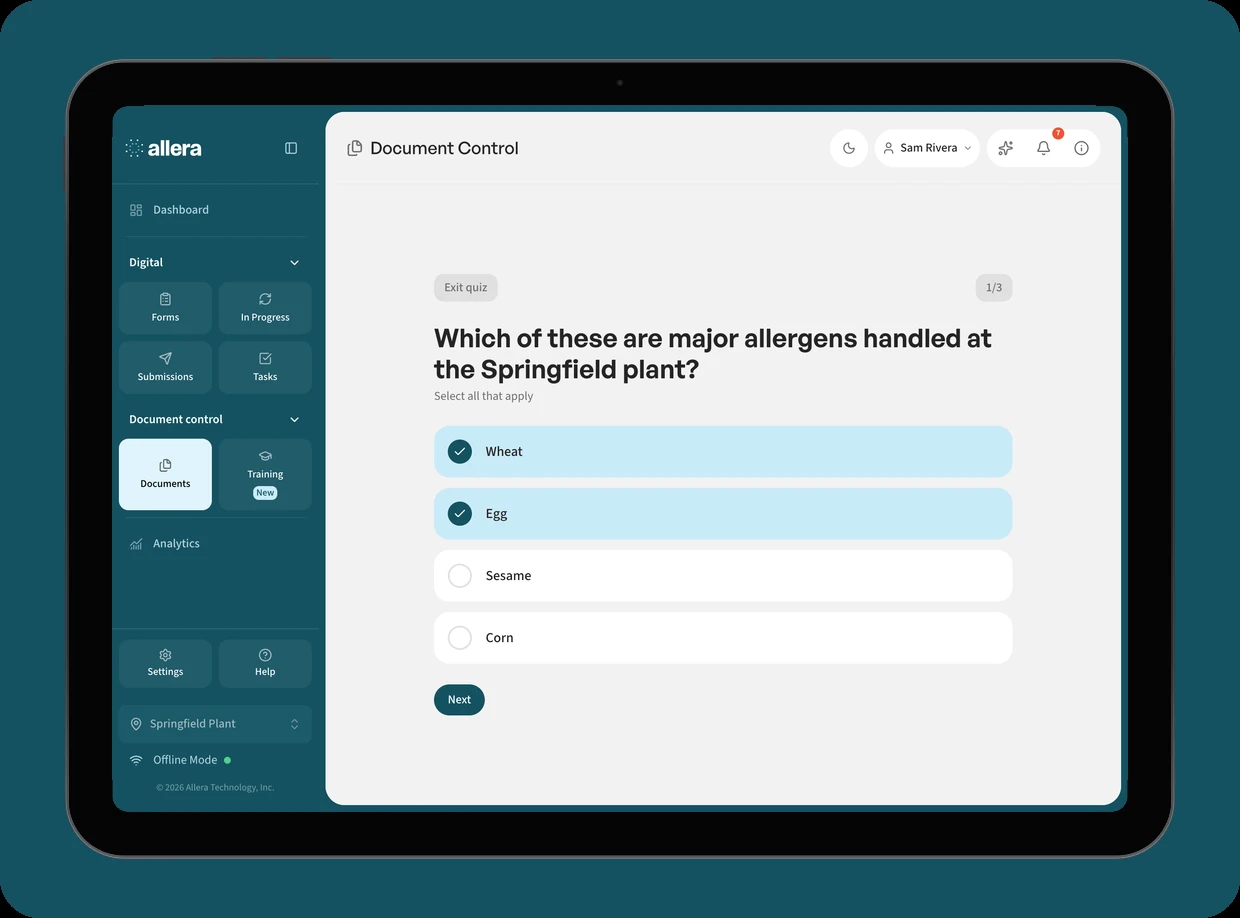
Training to do sits on each operator’s home screen. They open the SOP, then take the quiz.
Pass or fail shows as soon as they finish
The trainee answers one question at a time, confirms, then sees their score with Passed or Failed. They don’t see which answers were right.
Retakes go through their manager
A failed quiz tells the trainee to ask their manager for a retake. The manager allows it with an optional note, and earlier attempts stay on record.
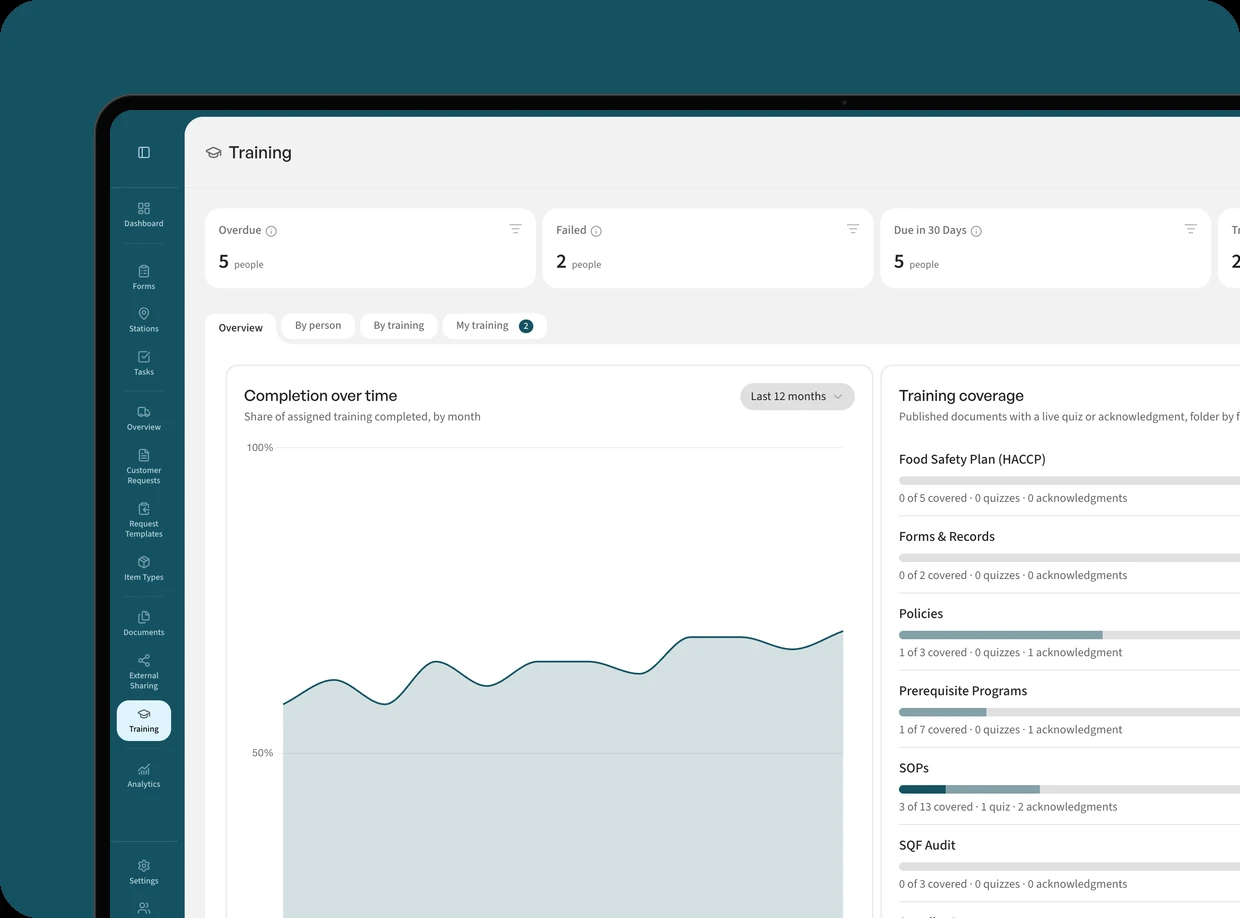
See who is trained at a glance.
Cards count the people overdue, failed, due soon and trained on an old version of the SOP. A chart shows the share of assigned training completed each month.
See what’s due in the next 30 days
Click the count to open the list of trainings due in that window, so you can chase them before they turn overdue.
Spot people trained on an old version
Their row reads the revision they trained on, with a note like “Trained on Rev 00001. Rev 00002 is current.” Filter the people list to show only them.
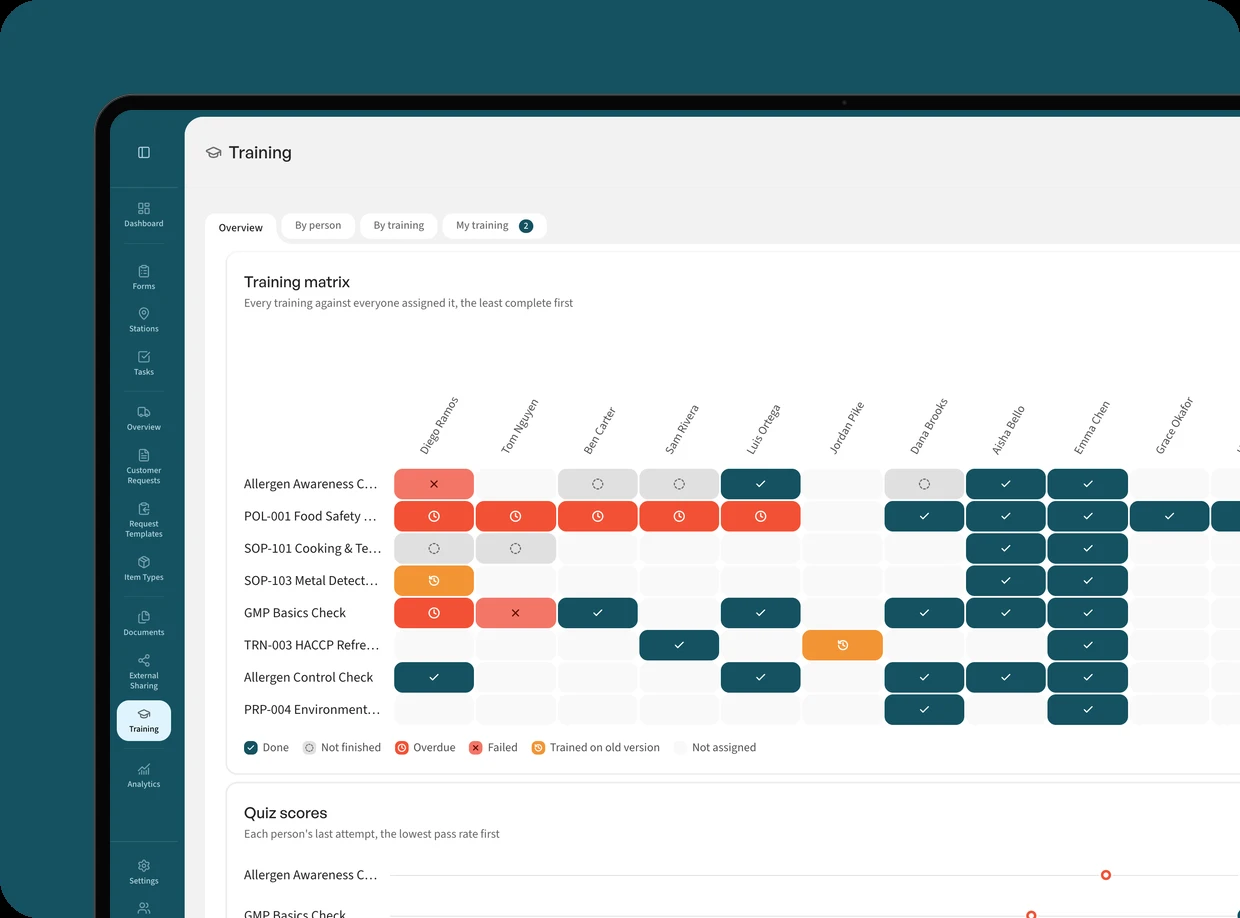
See every person against every training.
The matrix marks each cell done, overdue, failed or trained on an old version, with the least complete training first.
Remind everyone who’s overdue
Select people and press Send reminder. Each one is reminded of every training they’re overdue on, and anyone already reminded today is skipped.
See each person’s latest score against the pass mark
Each quiz gets a row plotting everyone’s last attempt against its pass mark line. Quizzes with the lowest pass rate come first.
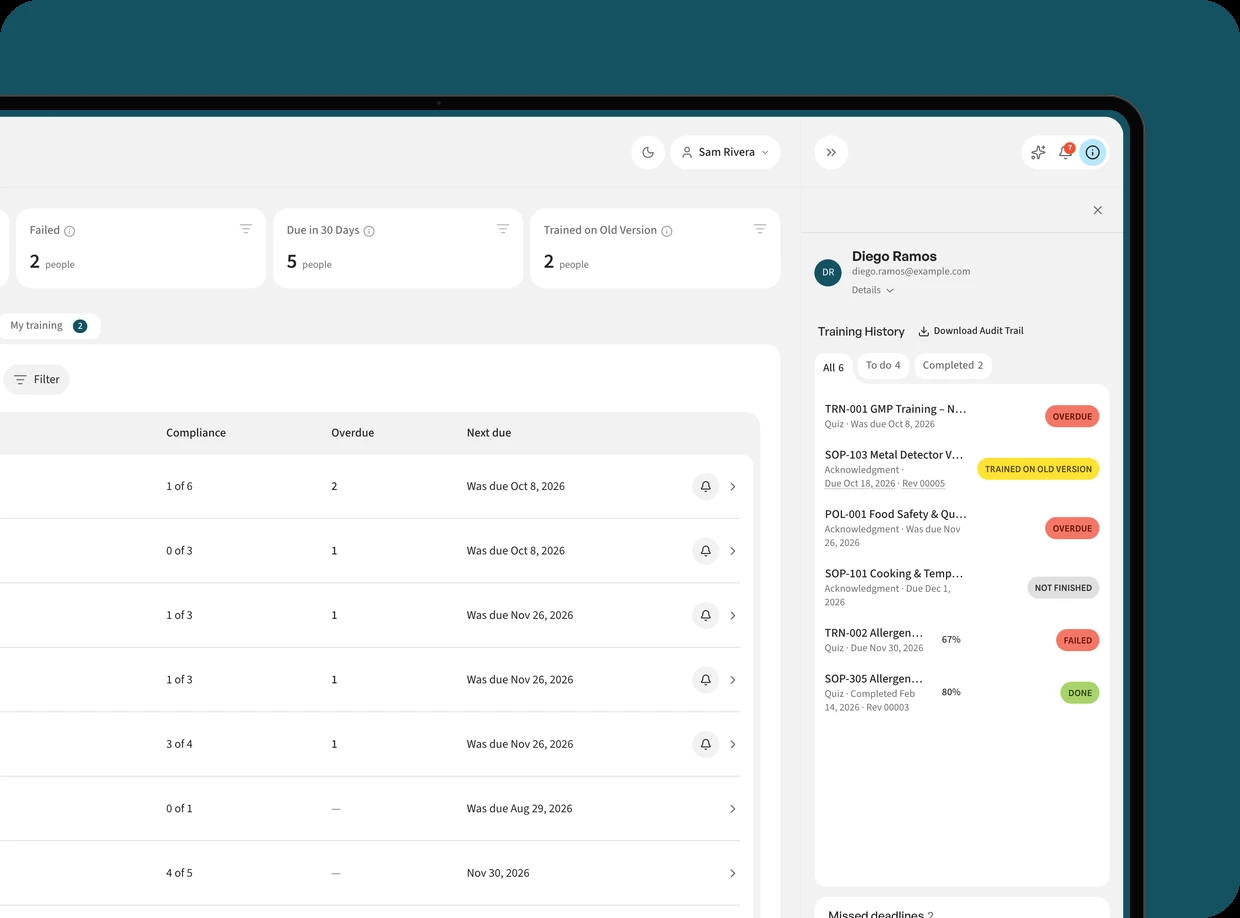
Hand the auditor one person’s training record.
Each person has a record with their training history. Download Audit Trail exports it as a PDF.
Every training they were assigned, with the result
Each row shows the revision they trained on, the date and the result, such as a quiz score or Acknowledged. The PDF lists the same history.
Every deadline they missed
A Missed deadlines section lists each late training with its due date and when it was finally completed. It prints in the audit PDF too.
Find out what to retrain.
Each question shows how many people got it right and the most common wrong answer.
See the questions people miss most
Every question shows how many people answered it correctly, counting only each person’s latest attempt. Typed answers are listed but not scored.
See the most common wrong answer
Open a question to see the share of people who picked each option. The wrong option picked most is tagged Common mistake.
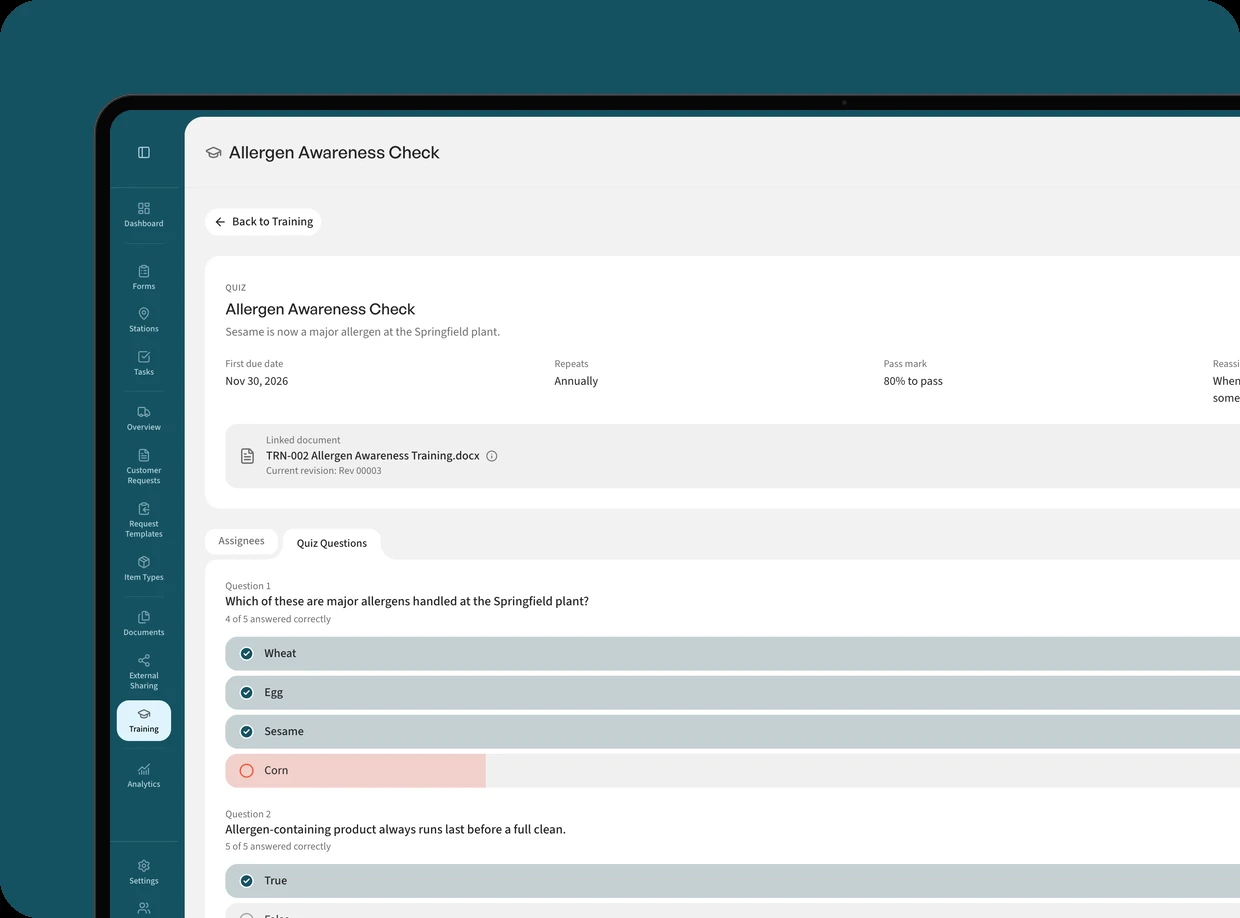
Training features for food safety teams
Training links to the documents in Allera Document Control. Each quiz or acknowledgment follows the SOP it came from.
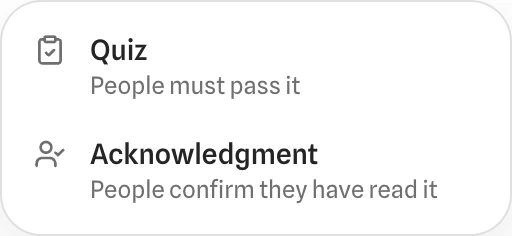
Quiz or Acknowledgment
Make people pass a quiz or confirm they have read the SOP. An acknowledgment can become a quiz later.
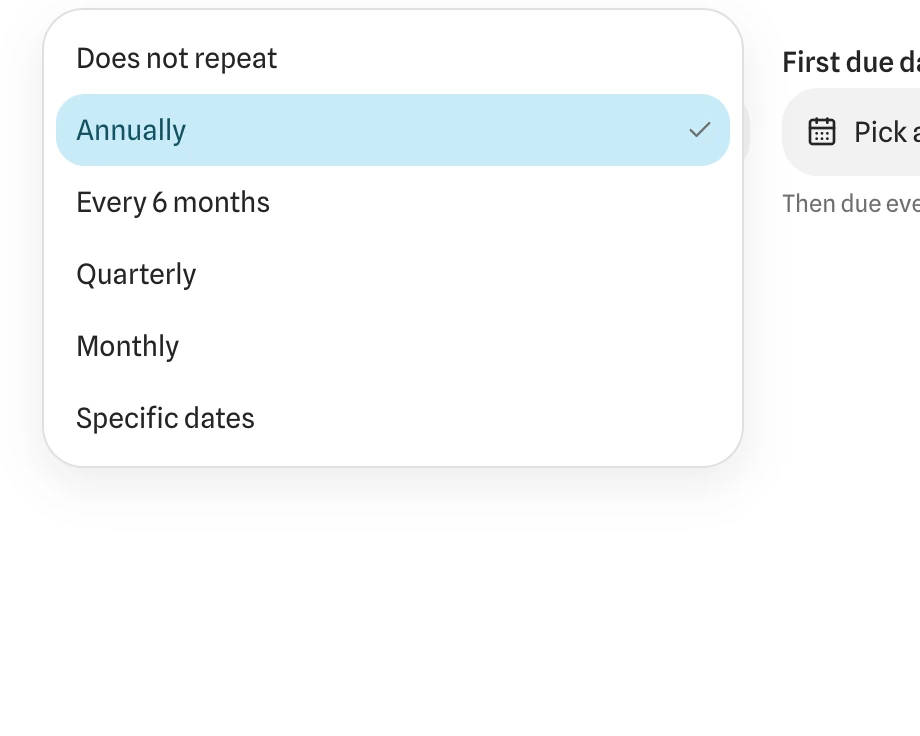
Repeat Schedule
Set a first due date, then repeat monthly, quarterly, every 6 months or annually.
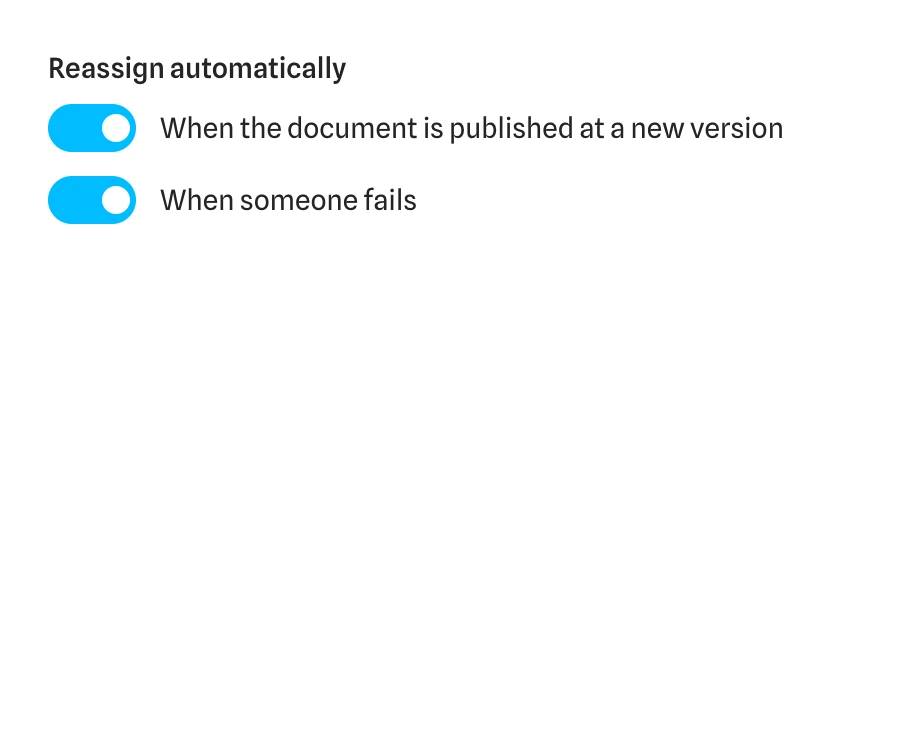
Reassign Automatically
Assign again when a document is published at a new version, when someone fails, or both.
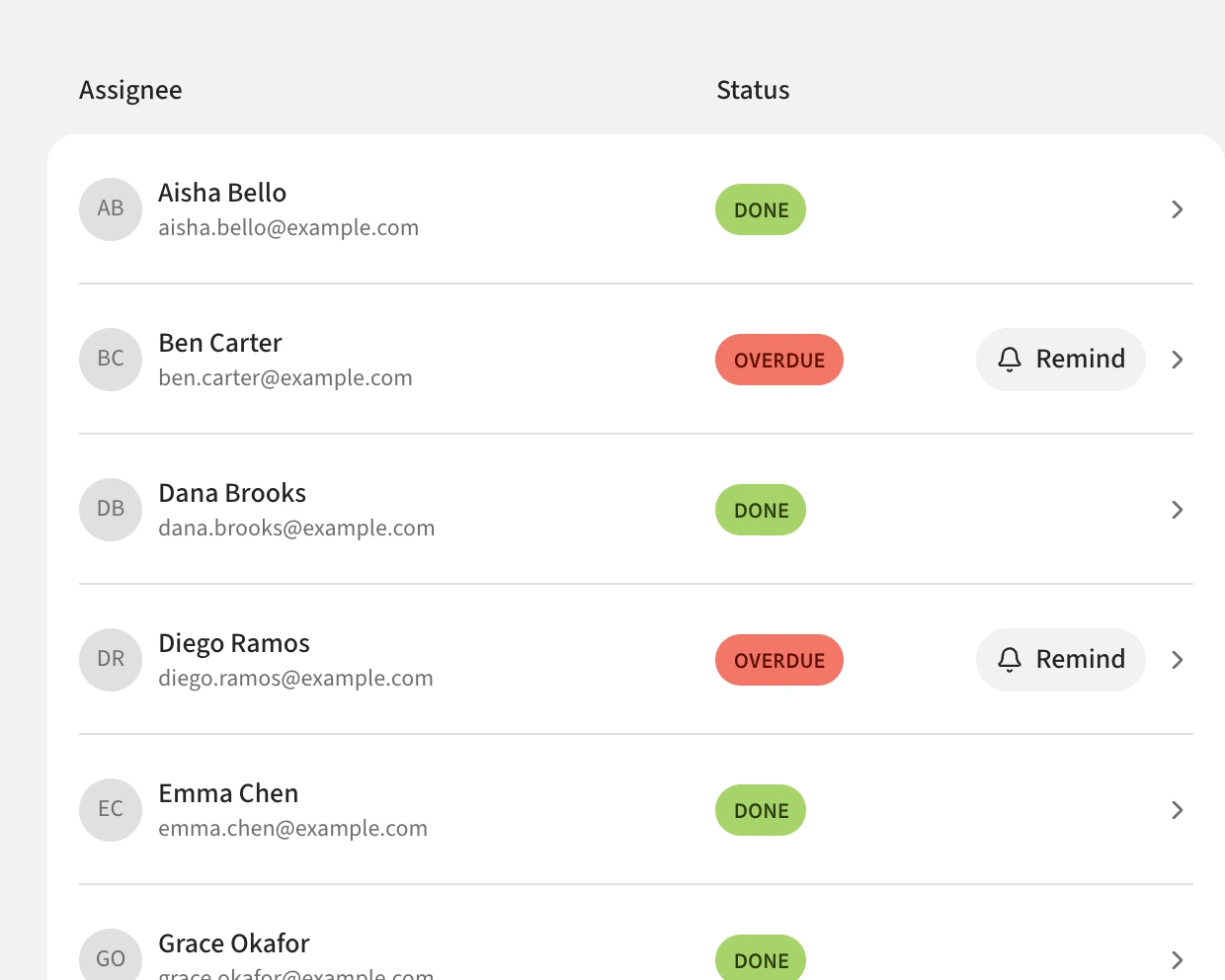
Reminders
Send a reminder to anyone who is overdue, right from the list of assignees.
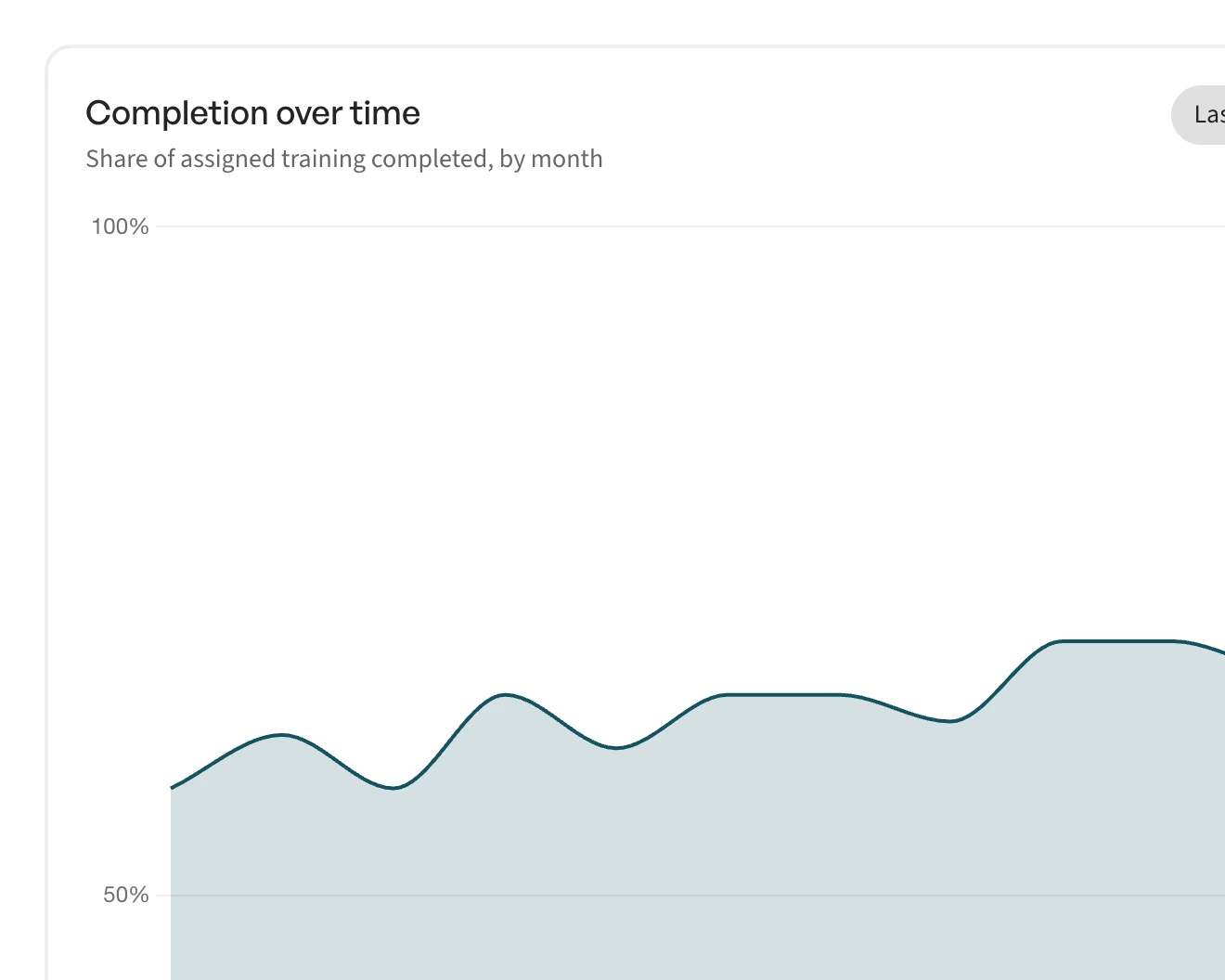
Completion Over Time
A monthly chart shows the share of assigned training that people completed.
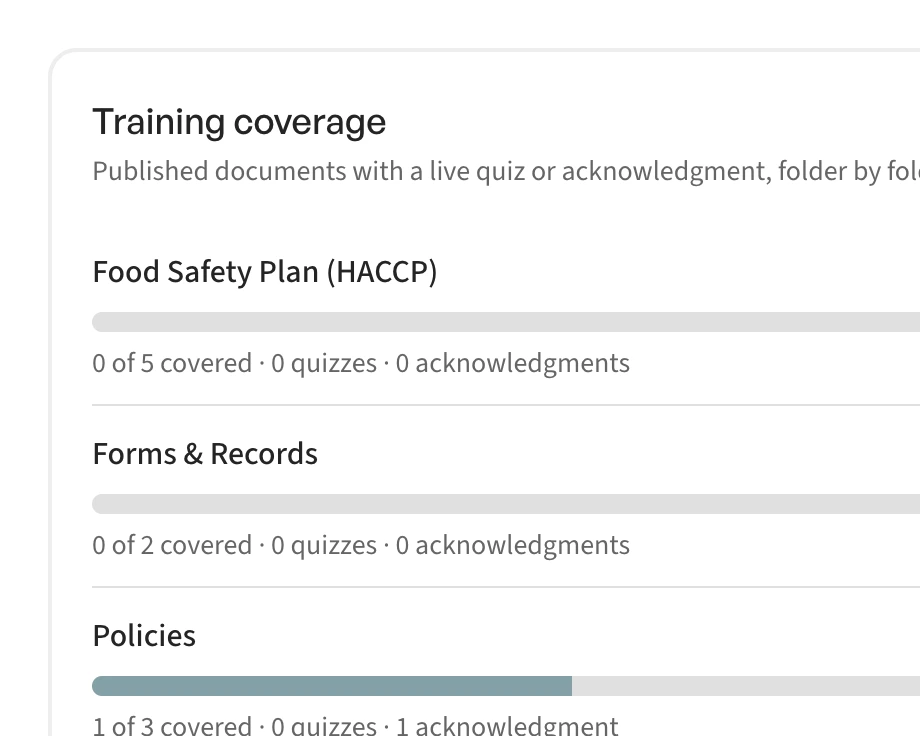
Training Coverage
See which published documents have a live quiz or acknowledgment, folder by folder.